
Table of Contents
- Technical Issues Blocking Your WordPress Traffic
- Keyword Cannibalization: When Your Content Competes Against Itself
- Content Strategy Without Clear Direction
- Information Architecture Problems
- Publishing Timing and Consistency
- Incomplete Technical SEO Optimization
- Competition and Niche Positioning
- User Experience Problems
- Inadequate Analytics and Measurement
If your WordPress blog is not getting traffic despite publishing quality content, you’re not alone. Thousands of blog owners face this exact frustration every day. You’ve invested time writing helpful articles, you’ve chosen topics that matter to your audience — yet your visitor numbers remain stuck at discouraging lows.
The reality is that quality content, while essential, is just one piece of the web traffic puzzle. There are technical, strategic, and optimization factors that stay invisible but ultimately determine whether your content ever reaches its intended audience.
Technical Issues Blocking Your WordPress Blog Not Getting Traffic
Technical problems are the single most common cause when a WordPress blog is not getting traffic. These failures act as invisible barriers that prevent search engines from properly indexing and ranking your content.
Slow Page Load Speed
Google penalizes websites that take more than 3 seconds to load. If your WordPress site relies on bloated plugins, unoptimized images, or an overloaded shared hosting plan, every extra second of load time reduces your potential traffic by around 7%, according to data from Google.
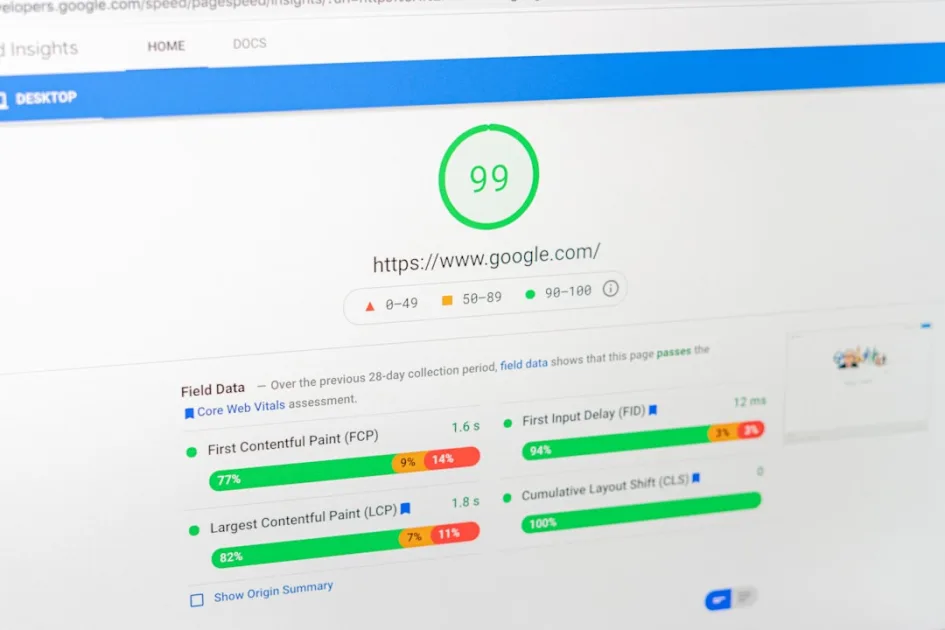
Tools like PageSpeed Insights or GTmetrix surface specific culprits: unminified CSS/JS files, multi-megabyte images, or plugins firing unnecessary database queries.
Indexation Problems
Your content may be blocked at the robots.txt level or through incorrect SEO settings. Many site owners accidentally enable the “Discourage search engines from indexing this site” option under Settings > Reading — creating an invisible barrier that keeps their WordPress blog from getting traffic entirely.
Keyword Cannibalization: When Your Content Competes Against Itself
Keyword cannibalization happens when multiple pages on your site compete for the same search query. This confuses Google about which page to show, diluting the authority of all your URLs and dramatically cutting your organic traffic.
Imagine you have five articles that all mention “pasta recipes.” Google can’t determine which one is most relevant, so none of them ranks well. The result: your WordPress blog is not getting traffic for those valuable searches.
To identify this issue, open Google Search Console and look for queries where multiple pages rotate in and out of the results. You can also use the search operator site:yourdomain.com keyword to see all pages competing internally for the same term.
Technical Signals That Indicate Cannibalization
Symptoms include constant ranking fluctuations, unusually low click-through rates (CTRs) for relevant keywords, and pages that “dance” between positions without ever stabilizing. These patterns are a clear sign that Google can’t decide which piece of content is more authoritative.
Content Strategy Without Clear Direction
Publishing content without a defined strategy is like shooting arrows blindfolded. Many blogs write articles based purely on “what seems interesting,” completely ignoring their audience’s actual search intent.
Disconnect Between Content and Real Search Queries
Your audience is searching for specific solutions, but your content addresses generic topics. For example, someone searching “how to fix a dripping faucet” needs actionable steps — not a philosophical piece about “the importance of home maintenance.”
Tools like AnswerThePublic or Google Trends reveal the exact questions your audience is asking. If your content doesn’t answer those specific queries, that’s a major reason your WordPress blog is not getting traffic.
Lack of Depth on Specific Topics
Google rewards content that demonstrates genuine expertise. Shallow 300-word articles on complex subjects rarely compete with comprehensive 1,500+ word resources that cover every angle of a question.
Information Architecture Problems
Your site’s architecture determines how Google understands and categorizes your content. A confusing or overly deep structure makes it harder for search engines to discover and properly evaluate your articles.
Poor Internal Navigation
If your articles aren’t strategically interconnected, each page becomes an isolated island. Internal links distribute authority and help Google understand the relationship between your content pieces.
An important page should receive links from at least 3–5 related articles. If your most valuable content has zero internal links pointing to it, it will remain invisible regardless of its quality.
Incorrect Categorization
Categories that are too broad — or subcategories that are overly narrow — confuse both users and search engines. A practical rule: no more than 7 main categories, each supported by at least 3–5 articles to justify its existence.
Publishing Timing and Consistency
Google values sites that publish fresh content on a regular basis. A blog that posts sporadically — three articles in January, nothing in February, one in April — sends abandonment signals to search engines.
Inconsistent Publishing Frequency
Frequency matters less than consistency. One article per week for six straight months outperforms ten articles in a single month followed by total silence. Google interprets regular activity as a sign that a site is “alive” and trustworthy.
Outdated Content
Articles dated 2019 that have never been updated signal neglect. Google favors fresh information, especially in niches where recency is critical — technology, news, regulations, and similar fields.
Adding “last updated” dates and reviewing content on a quarterly basis can revitalize traffic to previously successful articles.
Incomplete Technical SEO Optimization
Seemingly minor technical elements have a significant impact on traffic. Proper SEO optimization goes far beyond inserting keywords into titles.
Weak Meta Descriptions and Titles
Your title is the first thing potential visitors see in search results. Generic titles like “Blog Tips” lose immediately against something like “7 Proven Strategies to Multiply Your Blog Traffic in 30 Days.”
Meta descriptions function as free ads. A dull description lowers CTR, signaling to Google that your content isn’t relevant to that search — which pushes your rankings down further.
Confusing Heading Structure
H2, H3, and H4 headings help Google understand the hierarchy of information on your page. Articles without a logical structure — or that jump from H2 to H4 without an intermediate H3 — lose valuable optimization points.
Competition and Niche Positioning
Your WordPress blog not getting traffic may simply come down to competing in a saturated space without clear differentiation. Trying to rank for “digital marketing” when 50 million results exist requires massive resources most blogs don’t have.
Poor Keyword Selection
Targeting high-competition terms without sufficient domain authority is a losing strategy. It’s far more effective to dominate 10 specific long-tail keywords than to fight for a single ultra-competitive term.
For instance, instead of targeting “recipes,” narrowing the focus to “vegetarian recipes for diabetics” or “quick gluten-free meals for kids” offers a far better ranking opportunity.
No Unique Value Proposition
If your content simply repackages information already available on hundreds of other sites, Google has no reason to prioritize you. Your angle must offer something distinct: first-hand experience, exclusive data, or an innovative methodology.
User Experience Problems
Google uses user experience metrics — including Core Web Vitals — to assess the quality of your site. High bounce rates and low time-on-page indicate content that fails to meet visitor expectations.
Unintuitive Design
Confusing navigation, cluttered menus, or a non-responsive design on mobile devices increases user frustration. Google tracks these signals and interprets a poor experience as an indicator of low content quality.
Content That’s Hard to Consume
Excessively long paragraphs, no subheadings, and a lack of visual elements make content exhausting to read. Users leave quickly, sending negative signals to Google’s algorithms.
Inadequate Analytics and Measurement
You can’t optimize what you don’t measure. Many blog owners operate completely blind — without the tools to understand what’s working and what needs improvement.
Misconfigured Google Analytics
Incorrect Google Analytics setups produce distorted data. Poorly applied filters, undefined goals, or missing conversion tracking make it impossible to identify which content is actually performing.
Ignoring Google Search Console
Search Console shows you exactly how Google sees your site: indexation errors, the keywords you’re ranking for, CTR by page, and average positions. Ignoring this free data means throwing away optimization opportunities.
The data will surface queries where you’re sitting in positions 11–20 — spots where small, targeted optimizations could push you to page one and multiply your traffic overnight.
Fixing these issues requires a systematic approach and the right tools. Explore how Klusto can help you automatically identify and resolve these traffic problems on your WordPress site.
Our Team’s Take
After analyzing hundreds of WordPress blogs, we’ve consistently found that most traffic problems cluster around three areas: internal keyword cannibalization, poor technical optimization, and a disconnect between the content being created and what users are actually searching for. What’s most frustrating is seeing blogs with genuinely valuable content remain completely invisible because of technical issues that could be resolved in a matter of days. In our experience, precise diagnosis is more valuable than publishing more content — we’ve seen sites multiply their traffic fivefold simply by fixing existing keyword cannibalization.

Written by
Klusto Team
Klusto is the WordPress plugin that automates your SEO blog with AI: plans BOFU/MOFU/TOFU clusters, prevents 3-layer cannibalization, and publishes optimized articles without leaving wp-admin. No external SaaS. No migration.